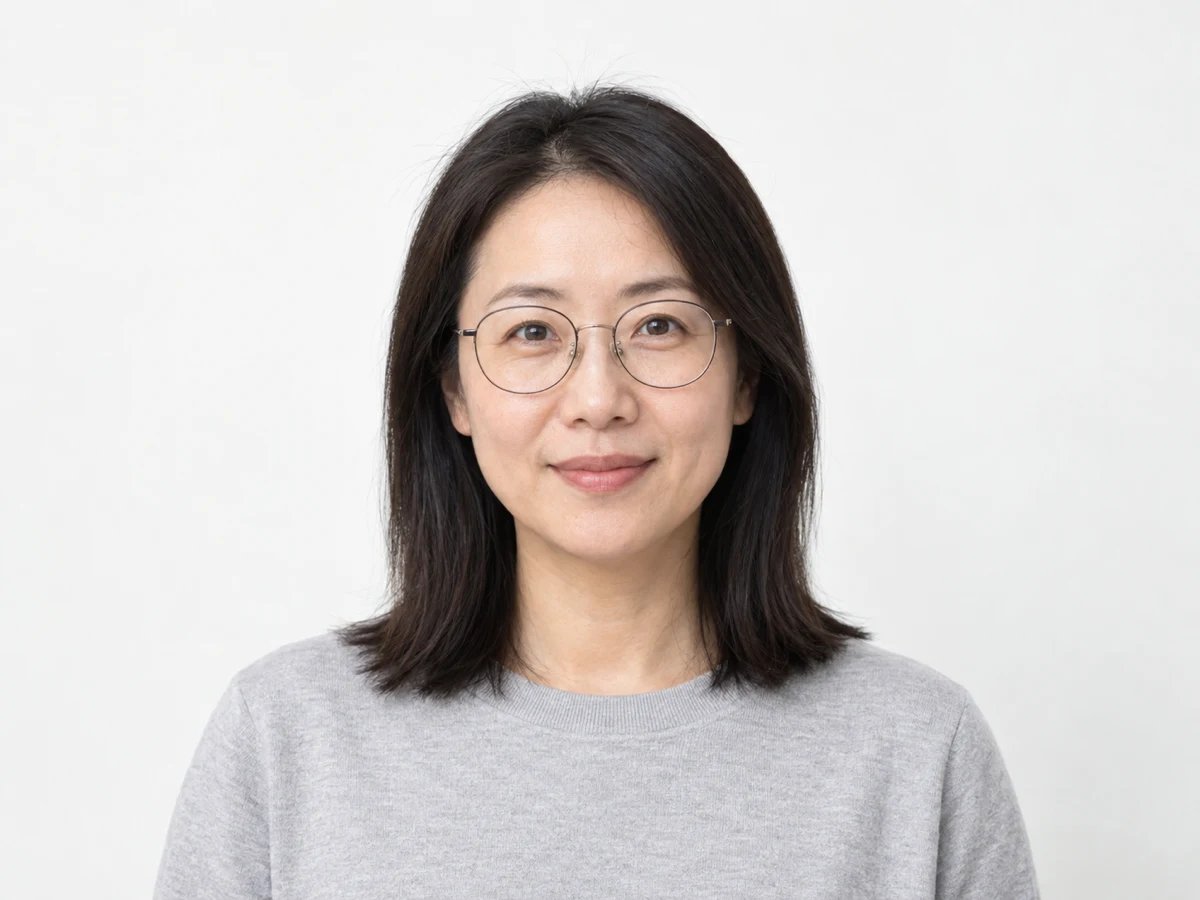
AI headshot generator · identity-preserving studio

AI Headshot Generator

Upload one clear portrait, pick a professional style, and generate a polished business headshot in one guided pass. The workflow is designed to keep your face, skin tone, glasses, and hairstyle recognizable while it updates the lighting, wardrobe, and background.

  • One photo input
  • Corporate · creative · clean
  • Identity preserved
  • Download-ready image
AI Headshot Generator
Reference-first portrait studio with identity-preserving corporate, creative, and clean styles.
Optional styling brief0/5000
Headshot stylePick one
Aspect Ratio
Resolution
Credit Cost
40credits
Preview stage / 01

Your professional headshot appears here

Upload one portrait and choose a style. You can add a short styling brief, but a clear photo is enough to start.

CorporateStudio backdrop, business attire, LinkedIn-ready.
CreativeEditorial lighting, modern wardrobe, colored set.
CleanSeamless bright backdrop, even light, minimal styling.
Upload one portrait and choose a style. You can add a short styling brief, but a clear photo is enough to start.

Finished headshot examples

Three professional headshots you can make from one photo

Each style keeps the same person and changes only the presentation, so one portrait can cover a resume, a founder profile, or a clean social avatar.

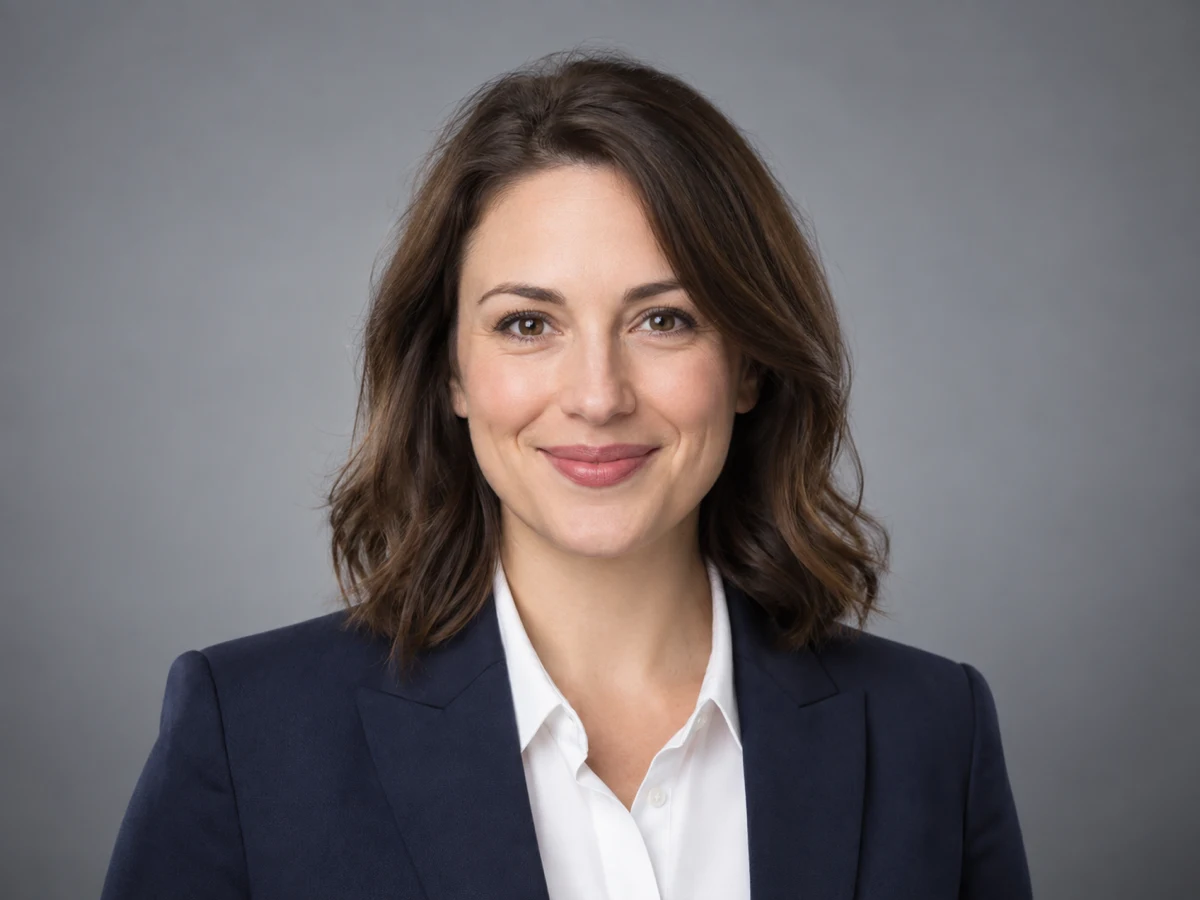
Corporate AI headshot of a professional in a navy blazer on a neutral studio backdrop
AI headshot

Resume and LinkedIn business photo

Start from a straightforward front-facing photo and choose a corporate style. The AI is designed to add tailored business attire, a neutral studio backdrop, and even key lighting while keeping the face and features consistent with your photo.

Input
Front-facing photo, whole head visible
Setting
Corporate · 1:1 or 4:5
Check
Same identity, straight hairline, even light
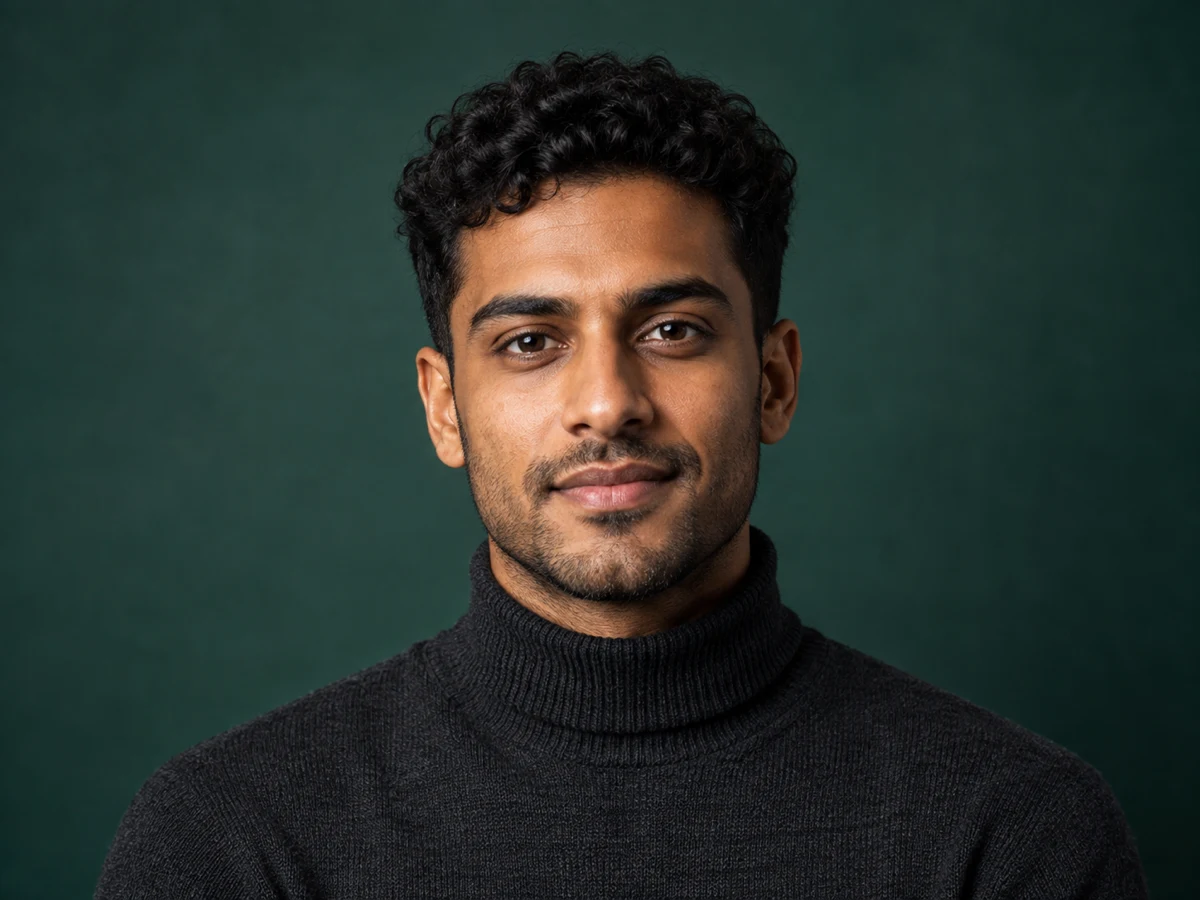
Creative editorial AI headshot of a professional in a charcoal turtleneck on a teal studio backdrop
AI headshot

Creative professional headshot

Use a creative style for a warmer editorial look with controlled directional light, contemporary wardrobe, and a subtle colored set. The styling is designed to keep the likeness recognizable.

Input
Clear portrait with a relaxed expression
Setting
Creative · 4:5 or 3:4
Check
Natural skin tone, no distorted features
Clean minimal AI headshot of a professional on a bright seamless backdrop
AI headshot

Clean social avatar

A clean style produces a bright seamless background with soft even light. The square result is designed to crop into a circular profile photo for social accounts and team pages.

Input
Even lighting, neutral expression
Setting
Clean · 1:1
Check
Head not cropped, background fully seamless

Direct answer

What is an AI headshot generator?

An AI headshot generator turns an ordinary photo of a person into a professional-looking portrait. Instead of booking a studio, you upload one clear picture and the AI rebuilds the lighting, wardrobe, and background while keeping the person’s real face, age, skin tone, hairstyle, glasses, and other identity details.

A good headshot tool does not invent a new face. It preserves the features that make the subject recognizable and changes only the presentational layer: clothing, background, light quality, color grading, and framing. That is what makes the result usable on a resume, a LinkedIn profile, a company team page, or a social account.

This page uses a reference-guided GPT Image 2.5 image-to-image workflow. One photo, one style choice, and an optional short brief are enough to start, and the finished portrait downloads as a standard image file that you can crop for the surface you need.

What changes and what is preserved

The AI separates identity from presentation, so you can update the professional look without becoming a different person.

Identity stays fixed

The workflow instructs the model to keep face shape, age, skin tone, eye color, hairstyle, facial hair, and glasses consistent with your reference photo.

Professional styling

Corporate, creative, and clean styles change the wardrobe direction, backdrop, and light quality so one photo can serve several professional contexts.

Portrait framing

Choose square, 4:5, 3:4, 2:3, or 9:16 output. The composition is guided to keep the full hairline in frame rather than crop the top of the head.

Resolution control

Generate at 1K for fast profile work or step up to 2K and 4K when the headshot needs to hold detail in print or a large hero placement.

How to create an AI headshot in 3 steps

One photo and one style choice are enough. The optional brief only adds extra direction.

  1. 01

    Upload one clear portrait

    Choose a front-facing photo with even lighting, a neutral expression, and your whole head inside the frame. This single image is the identity reference for every style.

  2. 02

    Pick a style and framing

    Select corporate, creative, or clean, then choose a portrait aspect ratio. Add a short brief only if you want a specific wardrobe, backdrop, or mood.

  3. 03

    Review and download

    Compare the result against your source photo, then download the headshot. Regenerate with another style when you want a second version for a different profile.

How it compares

AI Headshot Generator vs general image AI vs template editor

The differences that matter for a real professional portrait: identity accuracy, portrait-specific control, and how fast you can get a usable file.

DecisionAI Headshot GeneratorGeneral image AITemplate editor
Identity preservation
Reference-guided editing keeps your face, age, skin tone, glasses, and hairstyle recognizable.
May redraw the subject, so the result can drift away from the real person.Keeps your photo but locks the look to fixed presets with little control.
Professional styles
Three curated headshot directions cover corporate, creative, and clean looks.
Generic style prompts are not tuned for business portraits.A small set of templates that reuse the same lighting and backdrop.
Portrait framing
Portrait aspect ratios are guided to keep the full hairline in frame rather than crop the top of the head.
Framing can be unpredictable and may cut off the head or miscenter the face.Fixed canvas sizes that are hard to change.
Background control
Studio, colored, or seamless bright backdrops are generated to match the chosen style.
Backgrounds depend on an open-ended prompt and vary between runs.A limited background library reused across every user.
Output resolution
1K, 2K, and 4K options for profiles, web heroes, and print.
Resolution is usually fixed or unclear.Often capped at screen resolution.
Time to result
One upload and one style choice are enough to start; regenerate only when you want another style.
Often needs prompt iteration to reach a usable portrait.Fast, but the result looks like the template rather than the person.

This comparison describes the general strengths of each approach, not a specific product. Style names and controls vary by tool.

AI headshot generator FAQ

Quick answers about input photos, identity preservation, styling, cost, and downloads.

Can I get a professional headshot from a single photo?

Yes. Upload one clear, front-facing portrait with even lighting and the AI builds a professional version from that single reference. More photos are not required for the first version, and one photo keeps the workflow simple.

Will the AI keep my real face and features?

The workflow is built around identity preservation. It instructs the model to carry across face shape, age, skin tone, eye color, hairstyle, facial hair, and glasses, and to change only the clothing, lighting, background, and color grading.

What is the difference between the corporate, creative, and clean styles?

Corporate uses a neutral studio backdrop, tailored business attire, and soft key lighting. Creative uses directional editorial light, a colored or textured set, and contemporary wardrobe. Clean uses a seamless bright backdrop, even light, and minimal styling.

Which photo works best as the input?

Use a front-facing photo where your whole head is visible, your expression is neutral, and the light is even. Avoid heavy filters, extreme angles, sunglasses, and photos where the top of your head is already cropped.

What does it cost and how do I download the result?

Each generation uses the credits shown on the generate button before you confirm, and the price depends on the selected resolution. The finished headshot downloads directly from the result panel once generation completes.

Can I use the headshot on LinkedIn, a resume, or a company page?

Yes. Portrait crops and 1K to 4K output cover profile photos, resumes, team pages, and larger placements. Choose the aspect ratio that matches the surface and keep the full hairline in frame.

Keep building your professional profile

Explore the other image tools that work with the same workbench and credit balance.

Create your professional headshot now

Upload one portrait, choose a professional style, and download a headshot that still looks like you.