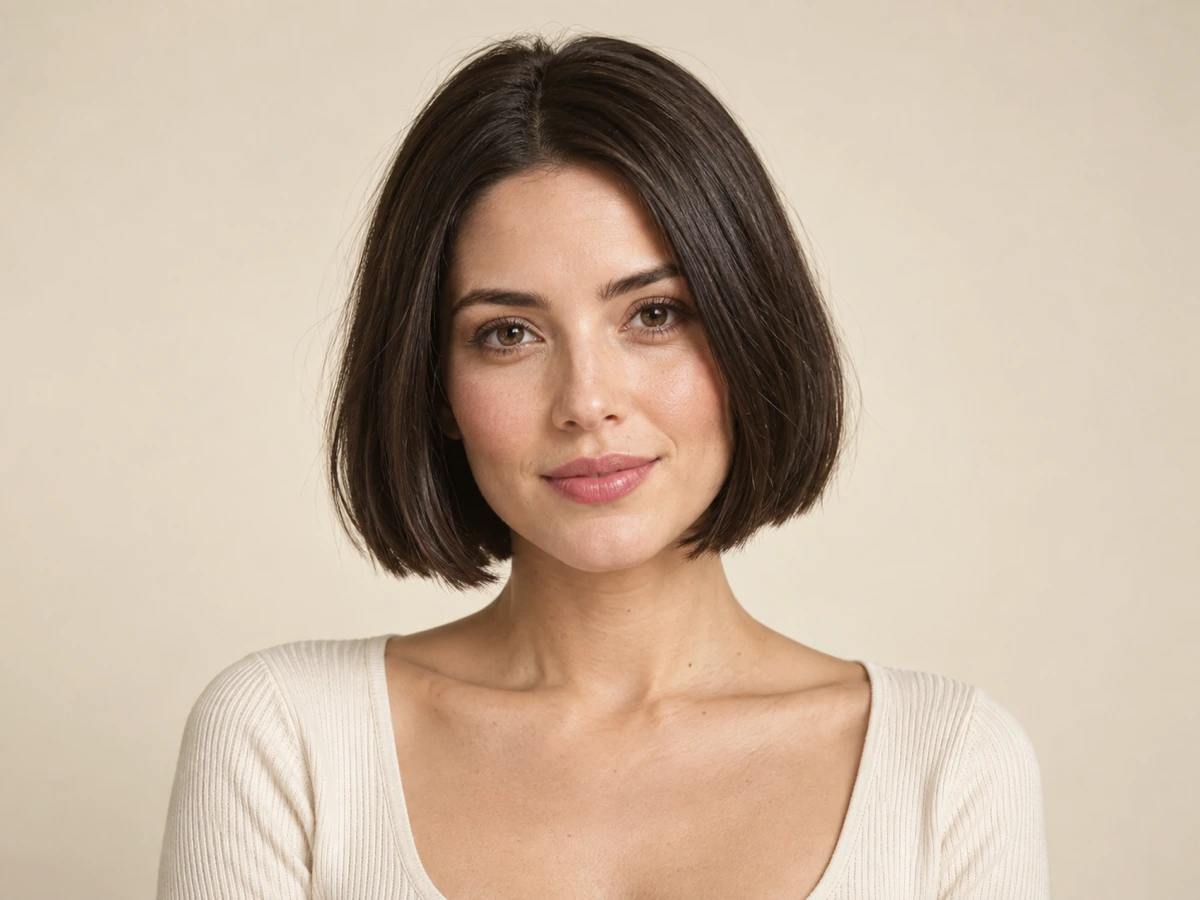
 Portrait / short bob
A sharper jawline with a chin-length bob
A blunt bob shortens the silhouette and frames the jaw. The edit keeps the eyes, skin texture, and natural hairline readable so the cut still looks like a real option.
Upload a portrait, choose a hairstyle, and preview your new look.
Awaiting your portrait
Upload one clear, face-forward photo, choose a hairstyle, and the restyled result appears here with a draggable Before / After review.
AI Hairstyle Changer lets you try a new haircut on your own photo. Upload one face-forward portrait, choose the hairstyle you want, and inspect a Before / After result before you download it.
The request instructs the model to edit only the hair while preserving the face, pose, expression, lighting, and background of your source photo. Because the output is AI-generated, always compare the result with the original before relying on it.
A hairstyle try-on is useful only when you can still recognise yourself. Each study illustrates the intended decision: change the hair while keeping the person, light, and framing recognisable.
Illustrative examples created with image generation to show the intended styles, not outputs from the tool on this page. Always verify a real result with your own photo.
Portrait / short bobA blunt bob shortens the silhouette and frames the jaw. The edit keeps the eyes, skin texture, and natural hairline readable so the cut still looks like a real option.
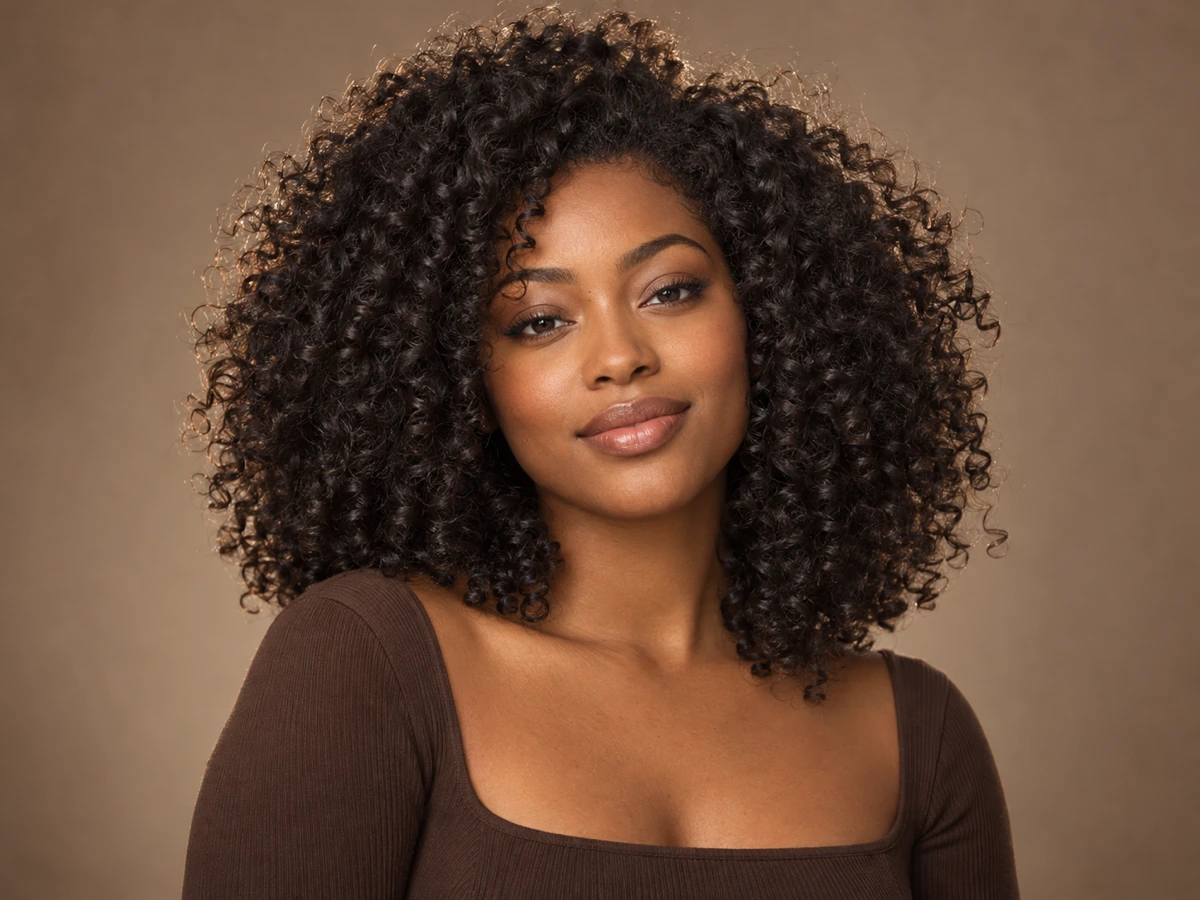 Portrait / curly volume
Defined curls change the whole head shape. A convincing result keeps the original face proportions and lighting while adding believable texture and weight.
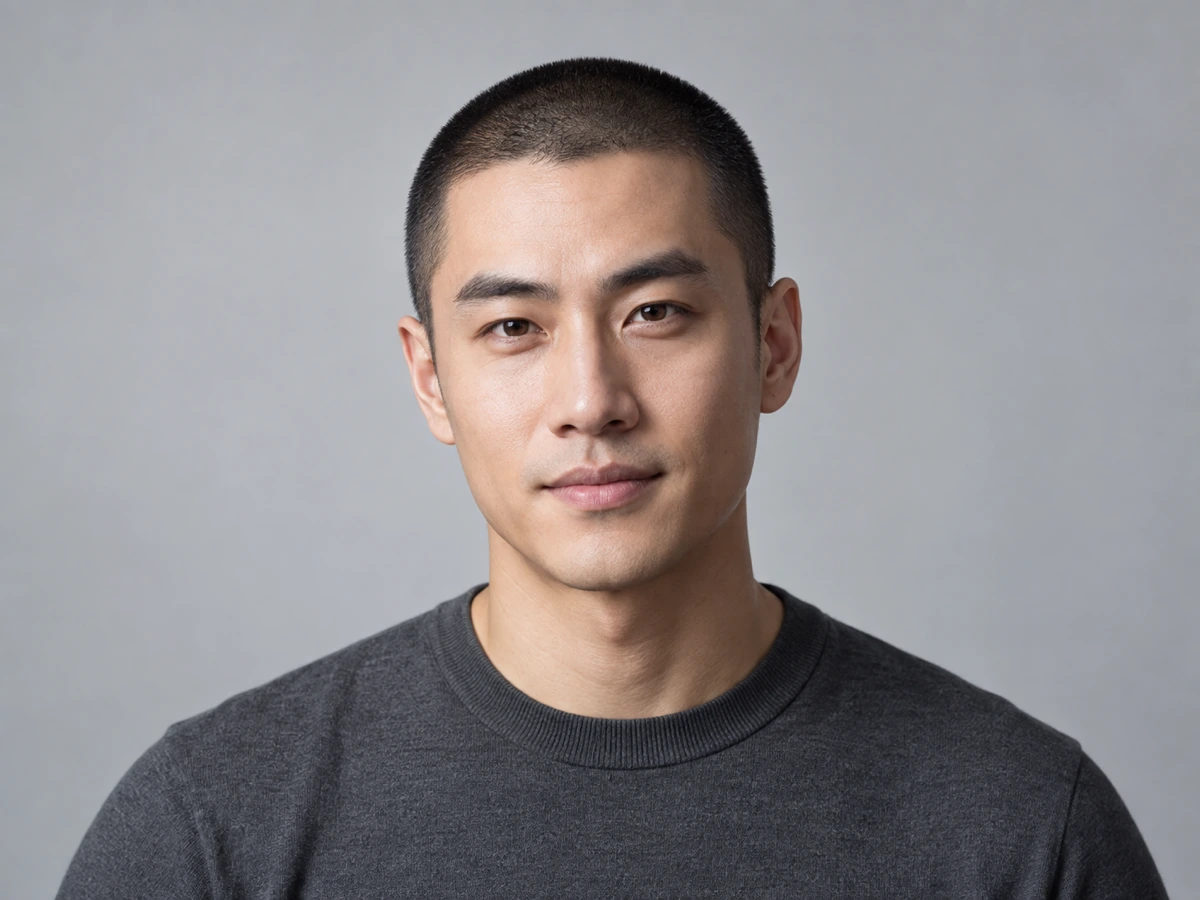 Portrait / buzz cut
The shortest cuts leave nothing to hide, so the try-on has to respect the hairline, scalp shading, and head shape of the original photo.
An AI hairstyle changer is an image editing tool that redraws the hair in a photo while keeping the same person. You upload one portrait, choose a target style, and the model produces a new hairstyle that follows the existing head, face, and lighting instead of replacing the subject.
The distinction that matters is scope. A general image generator can create a photorealistic person, but that person is not you. A focused hairstyle changer constrains the edit: the hair is the only thing allowed to change, and the face, pose, expression, background, and framing must survive.
This page implements that constraint with an image-to-image request. Your uploaded portrait is the reference, the selected preset becomes a server-allowlisted style direction, and the returned 1K image is shown next to the original in a Before / After stage so the person stays verifiable.
Each preset is a real generation setting, not a decorative label. The choice is sent to the model as a constrained direction so the try-on reads as a specific cut rather than a vague “new hair.”
A chin-length bob with a clean perimeter and soft interior volume that frames the jaw and cheekbones.
Best when you want a low-maintenance shape with clear lines.
Face-framing layers with gentle tapering toward the ends for movement without a heavy blunt edge.
Best for keeping length while adding shape and softness.
Defined ringlets with believable weight and frizz control that follow the natural growth pattern.
Best for testing a high-volume, texture-first look.
A close-cropped even grade with a tidy hairline and realistic stubble texture against the scalp.
Best for a bold, low-maintenance change that must respect the hairline.
Hair gathered into a smooth mid-height tie with tidy sides and a natural tail length.
Best for judging an upstyle rather than a new cut.
A short textured pixie with a soft fringe, tapered sides, and lightweight layered volume on top.
Best for a sharp, modern crop with visible texture.
The flow is deliberately short: one portrait, one hairstyle choice, and one inspection step that protects you from trusting a flattering render too quickly.
Add a JPG, PNG, or WebP photo with one clear, face-forward subject. Even lighting and a visible hairline give the edit the most reliable starting point.
Avoid sunglasses, heavy filters, or extreme angles that hide the hairline.
Select short bob, long layers, curly volume, buzz cut, ponytail, or pixie cut. The preset is sent with the request as a constrained style direction, not free-form text.
Pick the cut you are actually considering so the review is meaningful.
Drag the Before / After divider across the hairline, ears, jaw, and neck. Download only when the result preserves the person you recognise.
Keep the original photo as the reference for any real styling decision.
The useful question is not “does it look good?” but “does this cut change the read of my face the way I expect?” These are the moments where that answer matters.
You are about to cut length you cannot immediately grow back and want a preview first.
Test two or three presets against a current, well-lit photo and bring the clearest result as a reference for your stylist.
Compare the hairline, part, and jaw framing rather than chasing the most dramatic render.
You need an updated headshot and want to see how a different cut reads at thumbnail size.
Use the aspect ratio that matches the final crop and keep the background unchanged so the face stays the focus.
Check the shoulders, ears, and neck edges where a hairstyle edit is most likely to show its seams.
You are curious about a buzz cut, pixie, or full curls but not ready to commit.
Try the shortest and the most voluminous presets side by side to understand how much the head shape changes.
Treat the result as a styling reference, not a guarantee of how your real hair will behave.
These tools overlap on the promise of a new hairstyle but differ in where the decision happens. The comparison below is about control and verification on a focused try-on; competitor names are included for clarity, and this page does not link out to competitor sites.
| Decision point | Nano Banana Pro | FaceApp | Canva |
|---|---|---|---|
| Primary workflow | Upload one portrait, choose a hairstyle preset, generate one 1K result, compare, and download from a single page. | A mobile-first editing app where hairstyle and beauty filters sit inside a broad effects catalog. | A general design editor where AI image generation is one tool among templates, text, and layout work. |
| Hairstyle control | Six explicit presets are sent as a server-allowlisted style direction, so the edit targets a specific cut. | Filter-style hairstyle options that you tap through and preview inside the app. | Prompt-led generation, so the hairstyle depends on how precisely you describe it. |
| Identity preservation | The request instructs the model to keep face, pose, expression, lighting, and background, and to redraw only the hair. Always compare the result with the source. | The editor optimises for a fast look; inspect how much of the face and lighting also changes. | The result depends on the selected model and prompt rather than a dedicated identity-preserving instruction. |
| Review before export | A built-in Before / After divider keeps the source and the result together at full size. | Preview inside the app before saving or sharing the edited image. | Edit the image on a multi-element canvas before exporting the design. |
| Best fit | Users who want a focused, identity-safe hairstyle try-on with a clear verification step. | Users who want quick mobile beauty and style edits across many effects. | Users producing a complete design, campaign, or social layout. |
| Cost behavior on this page | 15 site credits per 1K try-on; changing the hairstyle choice before you generate does not start another task. | Plan, effect, and export rules depend on the current app and account. | Plan, feature, and export rules depend on the current editor and account. |
Choose Nano Banana Pro when the hairstyle itself is the deliverable and you want the source photo, the style choice, and the final check in one place. Choose a mobile editor for quick multi-effect play, or a design suite when the hairstyle is only one layer inside a larger layout.
These are the boundaries the public tool enforces before a paid task starts. They describe the implemented page, not a promise that every photo will produce a perfect result.
The browser reads the image dimensions for immediate feedback. On upload, the server checks the actual file container, size, dimensions, and content moderation result, then stores the photo under the signed-in account. Before generation, the server verifies that the stored reference belongs to that account.
The try-on runs as one image-to-image task through the shared workbench provider path. Task state, output ownership, credits, and refund handling stay in the existing server workflow, and the finished image is downloaded through the authenticated route.
Credits are checked and consumed by the server for the try-on task. Adjusting the Before / After divider does not create a new task.
These answers separate what the tool actually does from common expectations about virtual hairstyle try-ons.
The request is built to keep the same person: it instructs the model to preserve facial identity, features, skin tone, expression, pose, lighting, background, and framing, and to change only the hair. Because the output is AI-generated, always compare the result with your original photo before relying on it.
Use one face-forward portrait with even lighting and a visible hairline. Avoid sunglasses, hats, heavy beauty filters, motion blur, and extreme angles. A JPG, PNG, or WebP image with a single clear subject gives the most reliable result.
The tool offers six presets: short bob, long layers, curly volume, buzz cut, ponytail, and pixie cut. Each one is a constrained style direction rather than free-form text, so you can compare specific cuts instead of guessing at prompts.
Each 1K try-on costs 15 site credits on this page. Choosing a different preset, changing the aspect ratio, or uploading another photo does not consume credits; the server charges only when an authenticated generation request is accepted.
Yes. After generation, the result stage keeps your uploaded portrait under a draggable Before / After divider so you can inspect the hairline, ears, jaw, and neck edges at full size before downloading.
It is the generated 1K image served through the authenticated download route, not a screenshot of the interface or a CSS-only preview. Review the current Terms of Service for usage rights and always check the result before publishing it.
Use the tool that matches the job, then keep the source comparison in view before exporting a final image.
Start with a clear portrait, choose the hairstyle you are considering, and let the Before / After step decide whether the result is worth keeping.
Open the hairstyle tool